
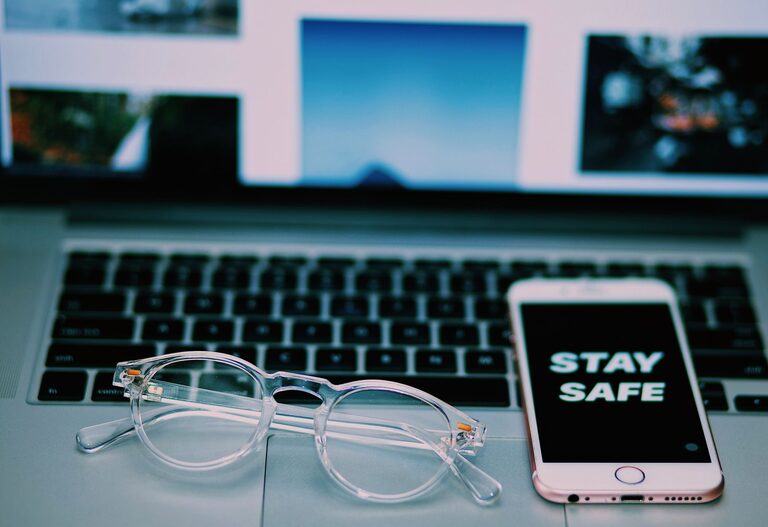
How to Clean Your Phone and Keyboard Safely Without Damage
Keeping your phone and keyboard clean is essential for both hygiene and the longevity of your devices. Regular cleaning removes dirt, oils, and germs that accumulate from daily use. However, since these gadgets contain delicate electronics, it’s important to clean them properly to avoid any damage. This guide will walk you through safe and effective methods for cleaning your phone and keyboard.
Why Clean Your Phone and Keyboard?
Phones and keyboards are among the most frequently touched items in our lives. They can harbor bacteria, dust, and grime, which may lead to hygiene concerns and affect performance over time. Cleaning also helps maintain the appearance of your devices, making them look new and well cared for.
General Safety Tips Before You Start
– Power Off: Always turn off your device and unplug keyboards before cleaning.
– Avoid Excess Moisture: Use damp cloths, not soaked ones, to prevent liquid damage.
– Use Gentle Cleaners: Avoid harsh chemicals like bleach or abrasives.
– Be Gentle: Apply light pressure when cleaning to protect delicate parts.
– Use Proper Tools: Soft microfiber cloths, cotton swabs, and gentle brushes work best.
—
How to Clean Your Phone Safely
What You’ll Need:
– Microfiber cloth
– Isopropyl alcohol (70% or less)
– Distilled water
– Cotton swabs
– Small soft brush (optional)
Step-by-Step Guide:
- **Turn Off and Unplug:** Make sure your phone is turned off and disconnected from any chargers or accessories.
- **Remove Case and Accessories:** If you use a phone case or screen protector, remove them to clean separately.
- **Prepare Cleaning Solution:** Mix equal parts of distilled water and isopropyl alcohol in a small container. This mixture disinfects without damaging your phone’s surface.
- **Wipe the Exterior:**
– Lightly dampen a microfiber cloth with the solution.
– Gently wipe the phone’s screen, back, and sides.
– Avoid getting moisture into any openings like speakers, microphone, or charging ports.
- **Clean Small Openings:**
– Use a dry cotton swab or a soft brush to remove dust and debris from ports, buttons, and speaker grills.
– Avoid inserting anything sharp or metallic to prevent damage.
- **Dry Thoroughly:** Use a dry microfiber cloth to gently buff the phone, removing any remaining moisture.
- **Clean Phone Case and Accessories:** Wipe or wash your phone case according to its material instructions. Silicone and plastic cases can often be washed with soap and water, while leather cases may require specific cleaners.
—
How to Clean Your Keyboard Safely
What You’ll Need:
– Compressed air can
– Microfiber cloth
– Isopropyl alcohol (70% or less)
– Cotton swabs
– Soft brush (like a paintbrush or toothbrush)
Step-by-Step Guide:
- **Unplug the Keyboard:** Disconnect from your computer or turn off if wireless.
- **Remove Loose Debris:**
– Hold the keyboard upside down and gently shake to dislodge crumbs and dust.
– Use compressed air to blow out particles from between the keys. Use short bursts to avoid moisture buildup.
- **Clean the Key Surfaces:**
– Lightly dampen a microfiber cloth with a mix of isopropyl alcohol and distilled water (50/50) or use alcohol wipes if preferred.
– Wipe the keys and keyboard surface gently.
– Avoid excess liquid that could seep under the keys.
- **Detail Clean:**
– Dip a cotton swab in the cleaning solution and carefully clean around and between keys.
– For stubborn spots, use a soft brush.
- **Optional Deep Cleaning (Mechanical Keyboards):**
– If your keyboard allows key removal, carefully pop off individual keys and clean underneath.
– Clean keycaps with soapy water (make sure they dry completely before reassembly).
- **Dry and Reassemble:** Wipe away any moisture with a dry cloth and allow the keyboard to air dry completely before plugging it back in.
—
Additional Tips for Maintaining Your Devices
– Clean Regularly: Aim for once a week or more often if you use your devices heavily.
– Wash Hands: Clean hands reduce the transfer of oils and germs.
– Use Screen Protectors and Keyboard Covers: These provide extra protection and can be cleaned or replaced easily.
– Avoid Eating Near Devices: Crumbs and spills can cause damage and build-up.
—
Keeping your phone and keyboard clean doesn’t have to be complicated. With the right tools and careful technique, you can maintain hygiene and protect your devices from damage. Regular cleaning helps your gadgets last longer and keeps your workspace healthier.
